Built for KPC
KPC Hours Tracker
Where does each client stand against the hours they bought?
A small CRM that ties Toggl time tracking to what clients have actually purchased. Logged time syncs in and counts down against retainers, fixed projects and pre-paid hour blocks, so hours remaining is always one glance away.
- 49
- API routes
- 28
- pages
- 24
- data models
- 3
- outside services synced
The problem
Time gets logged in Toggl, but Toggl has no idea what a client paid for. One client is on a monthly retainer, another bought a fixed project, another pre-paid a block of hours. Answering “how many hours does this client have left?” meant pulling a report and doing the math by hand.
What it does
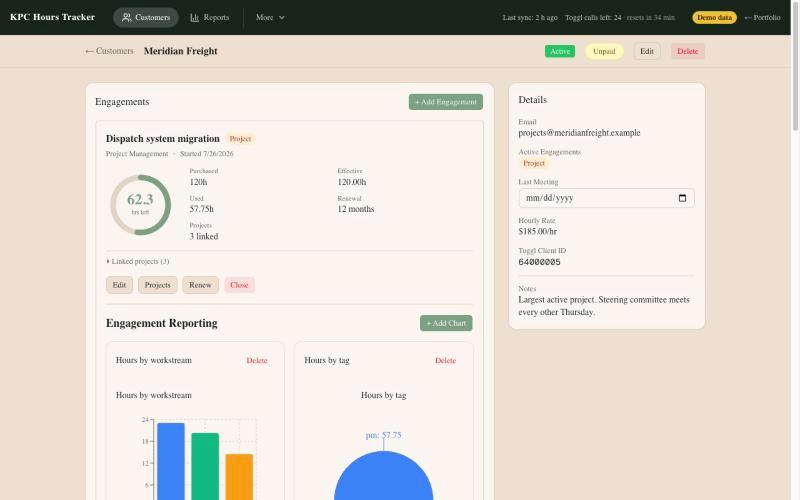
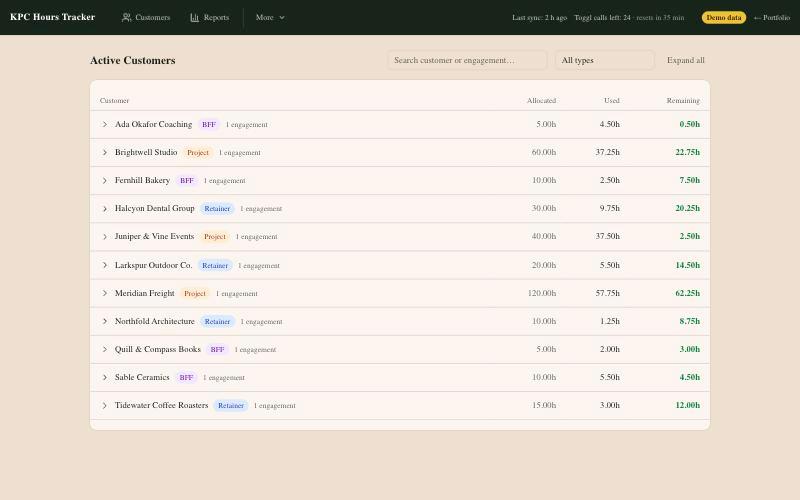
Every client has one or more engagements, which are buckets of purchased hours. Toggl projects are linked to an engagement, and time entries sync in on their own and count against it. The home screen is a single table of every active client with hours allocated, used and remaining.
Open a client and you get the detail: a ring showing what's left, the linked projects, recent time entries, payments, and charts you can build yourself by project, tag or phase.
Retainers that renew themselves
On the first of each month a retainer closes out and a new one opens with the same hours, settings and linked projects, and a note is added to the client's history. Month boundaries are worked out in Pacific time, because a UTC midnight would push an evening entry from the last day of the month into the next one.
Invoices and a client portal
Invoices are generated from tracked time, edited line by line, and exported as a PDF. Payments are recorded against each client, so the balance due is always current.
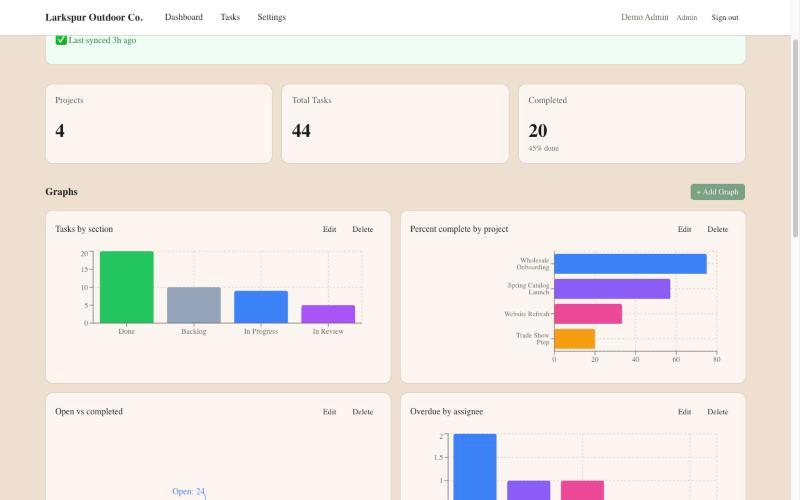
Clients also get their own portal. It syncs their Asana projects and tasks and lets them build charts from that data, such as tasks by section, percent complete by project, or overdue work by assignee.
About the demo
The live demo runs on an in-memory database filled with made-up clients, so nothing real is exposed and nothing needs to be set up. The connections to Toggl, Asana and email are switched off. You can add clients, log payments and edit invoices, and it all resets on its own.